The idea of creating a smart home can sound more complicated than it really is.
You might imagine having to replace your light switches, install complicated equipment and connect dozens of devices before anything works.
But you don’t need to do all of that.
A smart home can start with something as simple as one light that turns on automatically.
The best approach for beginners is to start small, learn what works and gradually add technology where it genuinely improves your routine.
You don’t need to automate everything.
You simply want to make certain everyday tasks more convenient.
Here are 10 beginner-friendly smart-home ideas to help you get started.
01. Start With One Room
One of the easiest ways to make smart-home technology feel manageable is to avoid trying to automate the entire house at once.
Choose one room.
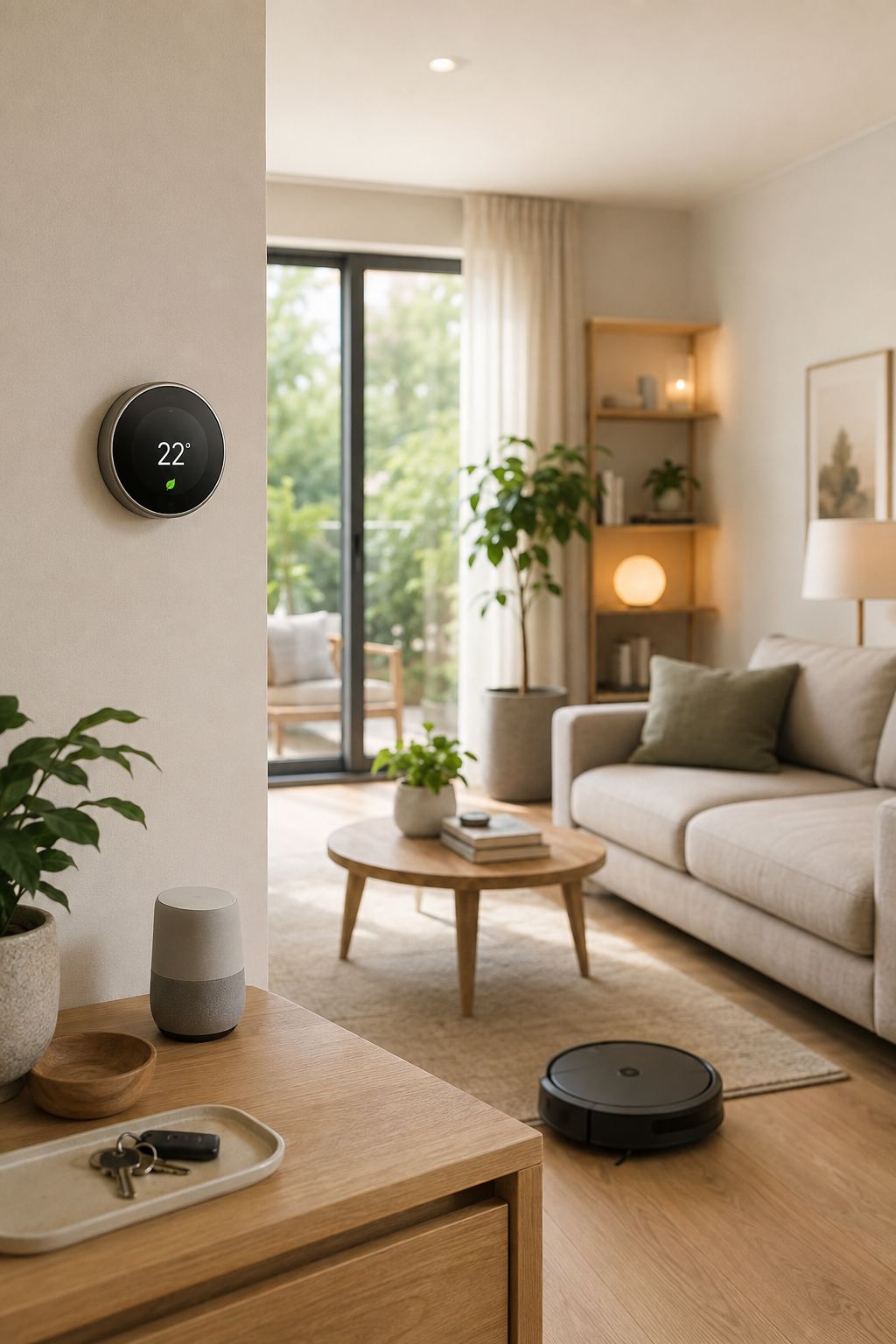
Your living room might be a good starting point because it often contains several devices and has routines that repeat every day.
For example, you could begin with:
- One smart lamp
- One compatible smart plug
- A smart speaker or compatible control platform
Once you understand how those devices work together, you can decide whether you actually want to expand.
Why starting small works
It gives you time to learn:
- How devices connect
- How automations work
- What features you actually use
- What causes connectivity problems
- Which ecosystem suits you
You may discover that you only need a handful of smart devices.
02. Create a Simple Evening Lighting Routine
Lighting is one of the easiest places to start with automation.
Instead of manually turning on several lights every evening, you can create a routine using compatible smart devices.
For example:
**An evening routine**
Evening → living-room lamp turns on
You could also have selected lights turn off later according to a schedule.
This doesn’t need to be complicated.
The goal is simply to remove a repetitive task.
Keep the lighting comfortable
Automation should still reflect how you want your home to feel.
You might prefer brighter lighting earlier in the evening and softer lighting later.
If your compatible system supports it, different lighting levels can become part of your routine.
03. Automate Your Morning Routine
Smart-home technology can also be useful in the morning.
Depending on the devices and ecosystem you choose, a morning routine could combine things such as:
- Compatible lighting
- An alarm
- A reminder
- Weather information
- Other supported devices
For example, a routine might begin with your bedroom light gradually becoming brighter, followed by a reminder about something you need to do.
The exact features will depend on the platform you’re using.
Don’t overcomplicate it
Choose one or two actions that genuinely help.
If your morning routine contains ten automated steps, it can become more annoying than simply doing those tasks manually.
04. Put Frequently Forgotten Lights on a Schedule
Do you regularly leave a lamp on?
A compatible smart bulb or smart plug may allow you to create a schedule.
For example:
**A simple schedule**
Set time → selected lamp turns off
This can be particularly useful for lights that follow a predictable routine.
You might have a porch, living-room or decorative lamp that should operate around the same time each day.
Remember that schedules aren’t perfect for every situation
If your routine changes frequently, a fixed schedule may not be the best solution.
A sensor, manual control or another type of automation could be more appropriate.
05. Use Motion-Activated Lighting in Dark Areas
Some areas of a home are used frequently but don’t need their lights on all the time.
Think about:
- Hallways
- Closets
- Storage areas
- Entryways
- Utility rooms
A compatible motion sensor and light can create a simple automation:
**A simple automation**
Motion detected → light turns on
After a suitable period, the light can turn off again depending on the system.
This can be particularly convenient when you’re carrying something and don’t want to search for a switch.
06. Create a “Leaving Home” Routine
One of the most useful smart-home concepts is an away routine.
Depending on your devices and ecosystem, a routine could control selected compatible devices when you leave.
For example, it might:
- Turn off selected lights
- Switch off compatible devices
- Adjust a compatible thermostat
- Send or trigger certain reminders
The exact capabilities depend on your setup.
Keep safety in mind
Don’t automatically switch off something simply because it can be controlled remotely.
Important appliances and systems should be handled according to their manufacturer’s instructions.
Smart automation should complement safe household habits—not replace them.
07. Create a Simple Bedtime Routine
A bedtime routine can bring several small actions together.
For example, compatible devices could potentially:
**A bedtime routine**
At bedtime → selected lights turn off → bedroom lighting changes → another compatible device responds
The purpose is not to create a futuristic bedroom.
It’s to make your existing routine slightly easier.
You could also use a voice assistant for a bedtime reminder or alarm.
Make it relaxing
Avoid adding too many notifications and automated actions.
A good bedtime routine should simplify the transition into the evening rather than create more stimulation.
08. Use Smart Technology to Understand Your Energy Habits
Smart-home technology isn’t only about turning things on and off.
Some devices can help you understand how your home uses energy.
Depending on the product, you may be able to monitor consumption or identify patterns.
For example, you might discover that energy use increases significantly during certain hours.
That information can help you decide whether there are opportunities to change your habits.
The important part is the action
There’s little benefit in collecting energy data simply for the sake of collecting it.
Use the information to answer questions such as:
- What is using the most energy?
- When is consumption highest?
- Can I reduce unnecessary use?
09. Add a Smart Leak Sensor Before You Need One
A leak sensor isn’t necessarily exciting.
But that’s precisely why it can be useful.
A suitable sensor placed near a potential problem area may alert you when it detects unexpected moisture.
Depending on your home, this could be useful near:
- A washing machine
- Under a sink
- A water heater
- Plumbing fixtures
The goal is early awareness.
A small sensor could potentially alert you to an issue before you notice visible water.
Don’t treat it as a replacement for maintenance
Regularly inspect plumbing, appliances and connections as appropriate.
Smart sensors are an additional layer of awareness, not a substitute for looking after the home.
10. Create One “Goodnight” Button or Command
If your smart-home ecosystem supports routines, one of the easiest beginner automations is a simple goodnight routine.
Instead of manually checking several compatible devices, you could use one command or control action.
For example:
**A goodnight routine**
“Goodnight” → selected lights turn off → compatible devices respond → bedroom lighting changes
This can be particularly useful if your home has several connected lights.
Start with the essentials
Don’t include every device in the house.
Choose the things you regularly check before bed.
Once the routine works reliably, you can decide whether anything else needs to be added.
A Beginner’s Smart Home Doesn’t Need to Be Expensive
It’s easy to assume that creating a smart home requires a major investment.
It doesn’t.
You can start with a single device.
For example:
- Step 1: One compatible smart bulb.
- Step 2: Add a smart plug if you have a genuine use for one.
- Step 3: Add a sensor or another device that solves a specific problem.
This gradual approach lets you learn before spending more money.
Choose Your Smart Home Ecosystem Carefully
One of the biggest beginner mistakes is buying devices individually without checking whether they’ll work together.
Before purchasing, look at:
- Compatible platforms
- Wi-Fi requirements
- Hub requirements
- Voice-assistant support
- Automation features
- Subscription requirements
- Whether important functions work without internet access
A device can be excellent on its own but frustrating if it doesn’t integrate with the rest of your setup.
Smart Home Rules for Beginners
If you’re just starting out, these five rules can save you a lot of frustration.
1. Solve a problem first
Don’t buy a device simply because it looks interesting.
2. Start small
One successful automation is better than ten unreliable ones.
3. Check compatibility
Always check before purchasing.
4. Keep manual controls where appropriate
You don’t want your home to become unusable because an app isn’t working.
5. Review privacy and security
Understand what information connected devices collect, how accounts are protected and which permissions you’ve granted.
What Should You Automate First?
If you’re unsure where to begin, think about repetitive tasks.
Ask yourself:
What do I do every day that I wouldn’t mind doing automatically?
Perhaps it’s turning lights on.
Maybe it’s turning them off.
Maybe it’s adjusting the temperature.
Maybe it’s remembering to check a particular area.
Maybe it’s cleaning the floors.
That’s where smart technology has the greatest potential to help.
Final Thoughts
A smart home doesn’t have to be complicated.
You don’t need dozens of devices, complicated wiring or an expensive whole-home system.
Start with one small improvement.
Automate something you already do repeatedly.
See whether it genuinely makes life easier.
Then build from there.
The best smart homes aren’t necessarily the ones with the most technology.
They’re the ones where technology quietly removes unnecessary effort from everyday life.
**Smart Space Finds takeaway**
Start small, automate something useful and let your smart home grow naturally around your lifestyle.
You can always add more technology later. You don’t need to buy everything at once.
For more ideas in the same spirit, explore the smart home section, or keep going with our guide to 10 genius small-space storage ideas and the organization section.